 RatedDays
25 Mood Tracker Ideas That Are Easy to Keep Up (Paper and Digital)
Most mood tracker ideas you'll find are beautiful and short-lived: a hand-drawn jar of 31 hearts that's lovely on the 1st and abandoned by the 9th. This list covers layouts that are pleasant and sustainable, a color key that makes your patterns readable, digital setups, and the extra things worth tracking so your tracker tells you something.
Pick one idea, not five. You can always change next month.
Before you pick: the 3 rules of a tracker that lasts
- One entry per day, under a minute. If filling it in needs a set of pens and a clear table, you'll skip it on the days that matter.
- An ordered scale. Five levels from bad to great (or a 0–10 number) makes trends visible. A random set of emotion colors doesn't.
- Some context. A color shows how the day was. A tag or a few words show why.
Bullet journal mood tracker layouts
Simple and fast
- Monthly grid. Days 1–31 down the side, one box per day. Color it in. Takes two minutes to draw and is the easiest to analyze.
- Year in pixels. 12 columns (months) by 31 rows (days). One small square per day. Fits on a single spread and shows your whole year. See our year in pixels guide for setup.
- Number line. Write the date and a 0–10 number each night, then join the dots into a line graph at the end of the month. Great if you don't like coloring.
- Calendar overlay. Draw a normal month calendar and shade each date's corner in your mood color. Doubles as your planner.
- Week strip. Seven boxes across the top of each weekly spread. Good if you already plan weekly and don't want a separate page.
Themed (fill a picture)
Draw a picture divided into 28–31 sections and color one section per day.
- Bookshelf. Each book spine is a day. Satisfying to watch the shelf fill up.
- Mosaic or stained glass window. Irregular shapes look good even with messy coloring.
- Hearts in a jar or gumball machine. Classic. Number each shape so you don't lose track.
- Garden. One flower or leaf per day; works especially well in spring.
- City skyline. Each window is a day.
- Seasonal motif. Pumpkins in October, snowflakes or a knitted scarf in December, beach towels in July.
- Film strip. Each frame is a day, with room to write a three-word title. Pairs nicely with treating your month like a season of a show (more on that in life as a TV series).
Tip for themed layouts: number every section in pencil first. Without numbers, you'll lose track of which section is which day by mid-month.
More detailed
- Mood + sleep graph. A line for mood (0–10) and bars underneath for hours slept, on the same page. Patterns between the two show up immediately.
- Morning / evening split. Divide each day's square diagonally and color both halves. Useful if your mornings and evenings feel very different.
- Habit + mood grid. Columns for habits (walk, read, no alcohol), last column for mood. Shows which habits line up with better days.
- Mood with one line. A narrow column for color and a wide one for a single sentence. The color shows the month, the sentence reminds you what happened.
Color key ideas
Your color key does more work than the drawing. The goal is that one glance at a month tells you how it went.
A five-step key (recommended)
| Level | Meaning | Color |
|---|---|---|
| 1 | Awful | Dark red |
| 2 | Bad | Orange |
| 3 | Okay / neutral | Yellow |
| 4 | Good | Light green |
| 5 | Great | Dark green |
Red-to-green works because nearly everyone reads it the same way. Bad stretches look "hot," good stretches look "calm."
Other keys that work
- One-color gradient. Five shades of blue, from pale (low) to deep (great), or the other way round. Calm and minimal.
- Warm to cool. Deep purple for bad days through to sunny yellow for great ones.
- 0–10 key. If you rate days with a number, map ranges to colors: 0–2, 3–4, 5–6, 7–8, 9–10. Our mood scale 1–10 guide describes what each number should mean so your colors stay consistent.
Keys to avoid
- One color per emotion (blue = sad, red = angry, green = calm, purple = tired). It looks rich, but you can't tell at a glance whether a month was good or bad, because the colors have no order. If you want to track emotions, track them in a separate row.
- Too many levels. Eight or more shades become hard to tell apart in pen.
- Changing the key mid-year. Your old months become unreadable next to your new ones.
Practical tip: test your pens on the back page first. Light yellow and light green can look identical once they dry.
Digital mood tracker ideas
Paper is lovely, but digital trackers are easier to keep up when life gets busy, and they can do the maths for you.
- A mood app with a year grid. Rate your day, and the app colors the square. Rated Days, for example, shows your year as a color grid on the home screen, with colors and rating ranges you can personalize, and lets you add tags, people and places to each day.
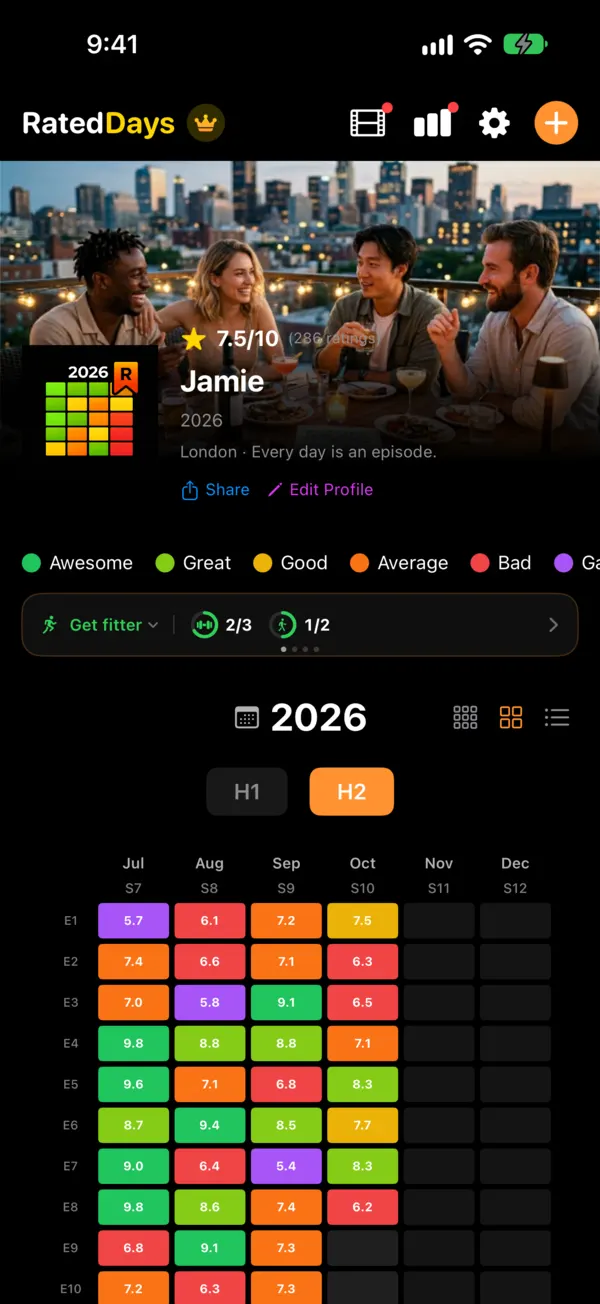
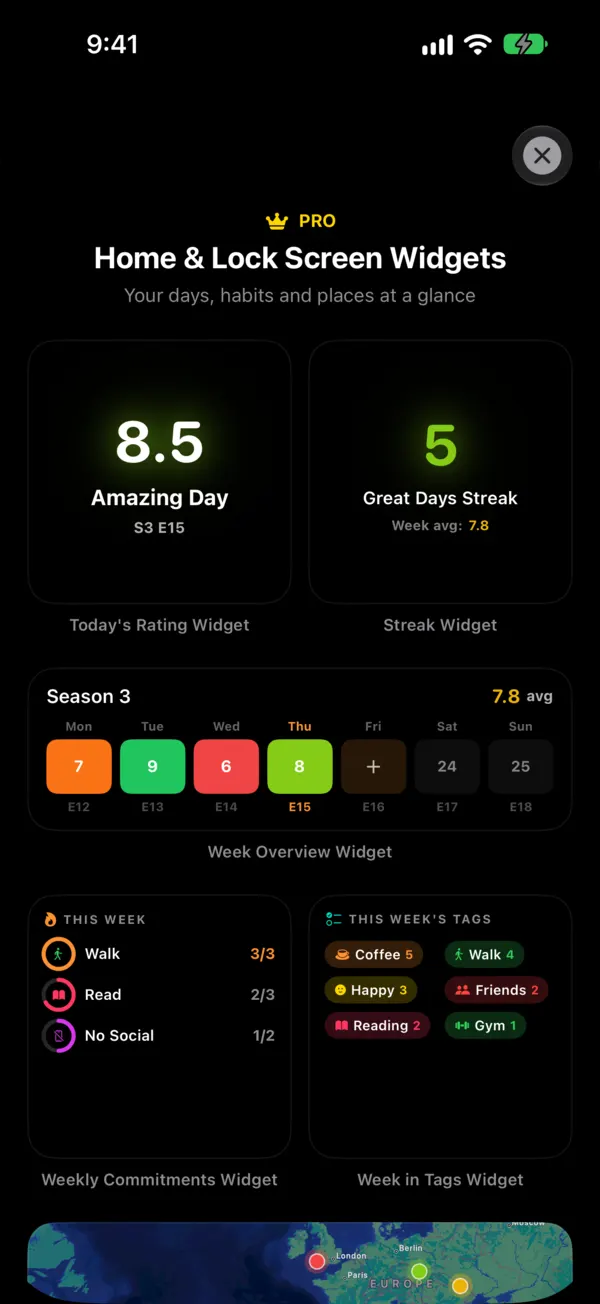
- A home screen widget. A widget that shows your year grid, or lets you rate from the home screen, keeps the tracker in sight without opening an app.
- A spreadsheet. Column A date, B rating (0–10), C–H your extra factors as 1/0. Use conditional formatting to color the rating column. Then a pivot table shows average mood with and without each factor.
- Notes app template. A pinned note with one line per day:
Nov 9 · 7 · gym, saw Sam · good talk at lunch. Low-tech and surprisingly durable. - Calendar colors. Create an all-day event each evening and color it by mood. Your monthly calendar view becomes a mood tracker.
- Photo per day. Take one photo that sums up the day and note the rating. Scrolling back months later is far more vivid than a color.
- Voice reminder. Set a Siri or Shortcuts reminder at the same time each night so you never have to remember.
What to pair with mood
A mood tracker alone tells you how your month felt. Pair it with a few other things and it starts telling you why. Choose three to six of these:
- Sleep: hours, or simply good / bad
- Exercise: any movement yes/no, or the type (walk, gym, yoga)
- People: who you spent real time with, or "alone all day"
- Time outside: yes/no
- Work: stressful / normal / day off
- Screen time: heavy evening scrolling yes/no
- Alcohol and caffeine
- Food: cooked at home, skipped meals
- Weather: sun, rain, dark early
- Cycle or health: period, headache, sick
- Social media or news: a heavy news day can be its own tag
- Places: home, office, travel
- Tag row idea. Below your monthly grid, add a small row per factor and tick it on the days it happened. At month's end, compare: what did your green days have in common? What about your red ones?
- "Lifts and drags" list. At the end of each month, write two short lists: things that showed up on your best days, and things that showed up on your worst. Keep these lists at the front of your journal; they become your personal manual.
If you'd rather not count ticks by hand, some apps do this for you. Rated Days has a statistics view that shows which tags lift or drag your days and ranks the people you spend time with by how good those days tend to be.
Making it stick
- Fill it in at the same time every day. Bedtime works for most people.
- Keep the pen next to the journal, or the app on your home screen.
- Missed a day? Leave it blank and move on. A gap is better than quitting.
- Review once a month. Fifteen minutes with your tracker beats any amount of decoration. For a step-by-step method, see how to track your mood.
A mood tracker is a great tool for noticing patterns, but it isn't a substitute for professional help. If your tracker fills up with low days, talk to a doctor or therapist, and if you're struggling, call or text 988 (US) for the Suicide & Crisis Lifeline.
Frequently asked questions
What colors should I use for a mood tracker?
Use five shades that run in an obvious order, such as dark red, orange, yellow, light green and dark green, or five shades of one color. An ordered scale makes good and bad stretches visible at a glance. Avoid unrelated colors like purple for tired and blue for calm unless you track separate emotions.
What is the easiest mood tracker to keep up with?
A monthly grid or year in pixels where you fill in one square per day, or a phone app with a daily reminder. Both take under a minute. Elaborate drawings are fun at the start of the month but are the first thing people skip when they're busy or low, which is when tracking matters most.
What should I track along with my mood?
Start with sleep, exercise and who you spent time with, since those are the most common things people find linked to their mood. Add work stress, time outside, alcohol or screen time if you suspect they matter. Keep it to three to six extras so filling it in stays quick.
Should I track my mood monthly or yearly?
Both views help. A monthly tracker is easier to set up and shows weekly rhythms, like rough Mondays. A yearly year-in-pixels shows seasons and long slumps you'd miss month by month. Many people keep a monthly spread for detail and copy each day's color into a yearly grid.